What Is an Email Address? Parts, Format and Examples


In This Article
An email address is the address of a mailbox on the internet: it tells mail servers where to deliver a message. It is written as a name, the @ sign and a domain, as in jane@example.com.
What does an email address mean?
The mail standard defines an address as “a character string that identifies a user to whom mail will be sent or a location into which mail will be deposited” (RFC 5321). The location is the mailbox, and the address is how you point to it.
You say jane@example.com out loud as “jane at example dot com”. The @ sign stands for “at”: the mailbox jane, at the domain example.com.
The two halves do two different jobs:
- The domain finds the mail server. The sending server looks the domain up in the DNS, the internet’s directory of names. The standard says “The lookup first attempts to locate an MX record associated with the name.” An MX record names the mail server for that domain (RFC 5321, section 5.1).
- The name finds the mailbox. The part before the @ “MUST be interpreted and assigned semantics only by the host specified in the domain part of the address” (RFC 5321, section 2.3.11). Only the domain’s own mail server knows what the name means. That is why each provider can set its own rules for names.
Whether capital letters change an address is a question of its own, answered in Are email addresses case sensitive?.
What are the parts of an email address?
An email address has three parts, also called its components. Here is one address, taken apart:
jane.doe@mail.example.com
| Part | In the example | What it is |
|---|---|---|
| The name (the standard calls it the local part) | jane.doe | One mailbox at that domain. You choose it, or it is given to you. |
| The @ sign | @ | It joins the name and the domain. |
| The domain | mail.example.com | The place that receives the mail, such as a mail provider, a company or a school. |
The domain has parts of its own, separated by dots. Read them from right to left:
| Part of the domain | In the example | What it is |
|---|---|---|
| The ending (the top-level domain) | com | The last part. Other endings are org, net, edu and many more. |
| The main name | example | The name the domain’s owner registered. |
| A subdomain | mail | An extra name in front. An address may have none, as in jane@example.com. |
All the examples on this page use example.com. That name is kept for examples (RFC 2606), so none of them is a real person’s address.
You get an address from whoever runs its domain, such as a mail provider when you sign up, or a school or an employer. A temporary address has the same three parts. Pokemail’s email generator makes one in a click: “It is 10 random characters, lowercase letters and digits, then @ and a Pokemail domain.”
The name you see is not part of the address
Your inbox may show a name beside a message:
Jane Doe <jane.doe@example.com>Only the part inside < > is the address. “Jane Doe” is the display name, which the standard calls “an optional display name that indicates the name of the recipient” (RFC 5322, section 3.4). Anyone can set any display name. Mail is delivered by the address alone.
What is the format of an email address?
The standard writes the format in one line: local-part "@" domain (RFC 5322, section 3.4.1). That is a name, then “the at-sign character (”@”, ASCII value 64)”, then a domain. The characters come from RFC 5322 for the name and from RFC 5321 and RFC 1035 for the domain.
Before the @ (the name):
- Letters, small and capital, and the digits
0to9. - These signs:
! # $ % & ' * + - / = ? ^ _ ` { | } ~ - Dots, but not as the first character, not as the last, and never two in a row.
- Up to 64 characters. The standard says: “The maximum total length of a user name or other local-part is 64 octets.” An octet is one byte: one plain letter, digit or sign.
- Other characters, such as a space, a comma or a second @, only inside double quotes, like
"jane doe"@example.com. The standard tells mail servers to “avoid defining mailboxes” that need quotes, so you will rarely see one.
After the @ (the domain):
- Letters, digits and hyphens, in parts separated by dots.
- Each part starts and ends with a letter or a digit (RFC 1035, with RFC 1123 allowing a digit first), so it cannot start or end with a hyphen.
- Each part has up to 63 characters (“Labels must be 63 characters or less”), and the whole domain up to 255.
The whole address: mail servers send it inside angle brackets, < and >. The standard allows 256 characters for that, brackets included, which leaves 254 for the address itself.
Newer standards also allow letters with accents and letters of other alphabets, for mail servers that support them (RFC 6531 and RFC 6532).
The standard is the outer limit. A mail provider can set narrower rules of its own. Google’s help page for Gmail says “Usernames can contain letters (a-z), numbers (0-9), and periods (.)”, and a Gmail name is 6 to 30 characters long. A form on a website can also refuse an address the standard allows.
What is an example of an email address?
Each address below is judged by the standard’s rules, not by any one provider’s.
Valid:
| Address | Why it is valid |
|---|---|
jane@example.com | A name, the @ sign and a domain |
jane.doe@example.com | A dot between two parts of the name |
jane_doe@example.com | The underscore is allowed before the @ |
jane-doe@example.com | The hyphen is allowed before the @ |
jane+news@example.com | The plus sign is allowed before the @. What it does is up to the provider: see the Gmail dot trick and plus addressing |
2026jane@example.com | The name may start with a digit |
j@example.com | One character is enough for the name |
jane@mail.example.com | A subdomain before the main name |
"jane doe"@example.com | A space is allowed inside double quotes. Valid, but rare |
Invalid:
| Address | What is wrong |
|---|---|
jane.example.com | No @ sign |
jane@doe@example.com | Two @ signs (a second one is allowed only inside quotes) |
.jane@example.com | The name starts with a dot |
jane.@example.com | The name ends with a dot |
jane..doe@example.com | Two dots in a row |
jane doe@example.com | A space without quotes |
jane,doe@example.com | A comma without quotes |
jane@example..com | Two dots in a row in the domain |
jane@-example.com | A part of the domain starts with a hyphen |
jane@exa_mple.com | An underscore in the domain |
jane@ | No domain |
@example.com | No name |
How is an email address different from a user name or a web address?
| Email address | User name | Web address | |
|---|---|---|---|
| Example | jane@example.com | janedoe | https://www.example.com/contact |
| What it is for | Getting mail to a mailbox | Signing in to an account | Opening a page |
| How it is built | A name, one @ and a domain | As the site allows | A scheme such as https://, then the site’s name and a path |
An email account is the mailbox and its settings at a provider: the thing you sign in to. Its address is how mail reaches it.
Many people call the part before the @ the user name. The standard says that part is used for more than that: “contemporary usage permits a much broader set of applications than simple “user names"" (RFC 5321). On some websites you sign in with your email address. On others you pick a user name that has nothing to do with it.
A web address has parts called the “scheme, authority, path, query, and fragment” (RFC 3986). One domain can have both: a website at https://example.com and mailboxes like jane@example.com. Mail for the domain goes to the server its MX record names, which can be a different computer from the website’s.
To make an email address into a link on a web page, the page puts mailto: in front of it, as in mailto:jane@example.com (RFC 6068). A mail program uses such a link to start a new message to that address.
Sources
Read on November 20, 2026.
- RFC 5321: Simple Mail Transfer Protocol (sections 2.3.11, 4.1.2, 4.5.3.1 and 5.1)
- RFC 5322: Internet Message Format (sections 3.2.3, 3.4 and 3.4.1)
- RFC 1035: Domain Names, Implementation and Specification (section 2.3.1)
- RFC 1123: Requirements for Internet Hosts (section 2.1)
- RFC 3986: Uniform Resource Identifier (URI), Generic Syntax
- RFC 6068: The ‘mailto’ URI Scheme
- RFC 6531 and RFC 6532: internationalized email
- RFC 2606: Reserved Top Level DNS Names
- Google, Gmail Help: Create a username
Free temporary email in one click. No registration, no tracking. Auto-deletes in 60 minutes.
Sources
- RFC 5321 rfc-editor.org
- RFC 2606 rfc-editor.org
- RFC 5322, section 3.4 rfc-editor.org
- RFC 1035 rfc-editor.org
- RFC 1123 rfc-editor.org
- RFC 6531 rfc-editor.org
- RFC 6532 rfc-editor.org
- RFC 3986 rfc-editor.org
- RFC 6068 rfc-editor.org
- Create a username support.google.com
What this page says of another service comes from that service's own pages, and what it says of Pokemail from the service itself, checked on November 20, 2026. How we write and check our posts.
Developer API Quickstart
Get started with the Pokemail REST API in 5 minutes. Create temp addresses, read emails, and set up webhooks programmatically.
Temp Mail API: How It Works and How the Main APIs Compare
What a temp mail API does, how the Temp-Mail.org, Mail.tm, Guerrilla Mail, TempMail.lol and Pokemail APIs compare, and how a disposable email checker API works.
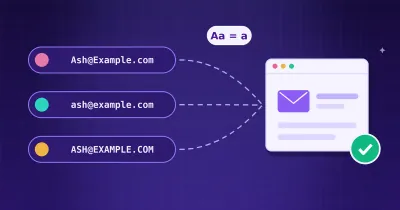
Are Email Addresses Case Sensitive? Do Capital Letters Matter?
The part after the @ is never case sensitive. The part before it is up to the receiving mail server. What the standard and each provider's own pages say.